Every listing has exactly one status, shown at the top of its dashboard sidebar. It controls whether truck operators can find your listing and whether they can apply to it. This page is the full reference for all five — for a walkthrough of getting a brand-new listing approved, see Why is my listing "Pending"?.
The five statuses
| Status | What it means | Who can set it | Visible to trucks |
|---|---|---|---|
| Pending | Pending approval from a FoodParks admin. | You or a FoodParks admin; not offered in your dropdown | No |
| Available | Food Trucks can apply to rent your space. | You | Yes |
| Waitlist | Food Trucks can apply to the waitlist for future availability. | You | Yes |
| Hidden | Your listing is hidden, and Food Truck applications are disabled. | You | No |
| Disabled | Your listing has been disabled by a FoodParks admin. | FoodParks admin only | No |
There is one canonical status field. Available and Waitlist are public; Pending, Hidden, and Disabled are hidden. Pending still allows existing direct application and listing-message links, while Hidden and Disabled stop new applications and listing messages.
Which ones you control
You can move your listing between Available, Waitlist, and Hidden yourself, at any time, from the status dropdown at the top of your listing's dashboard sidebar.
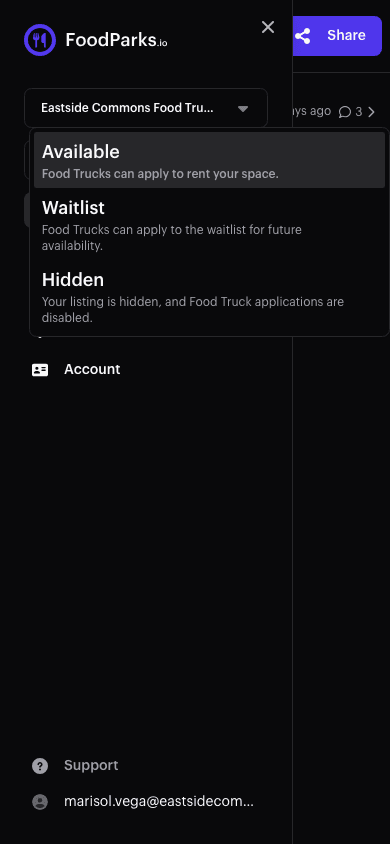
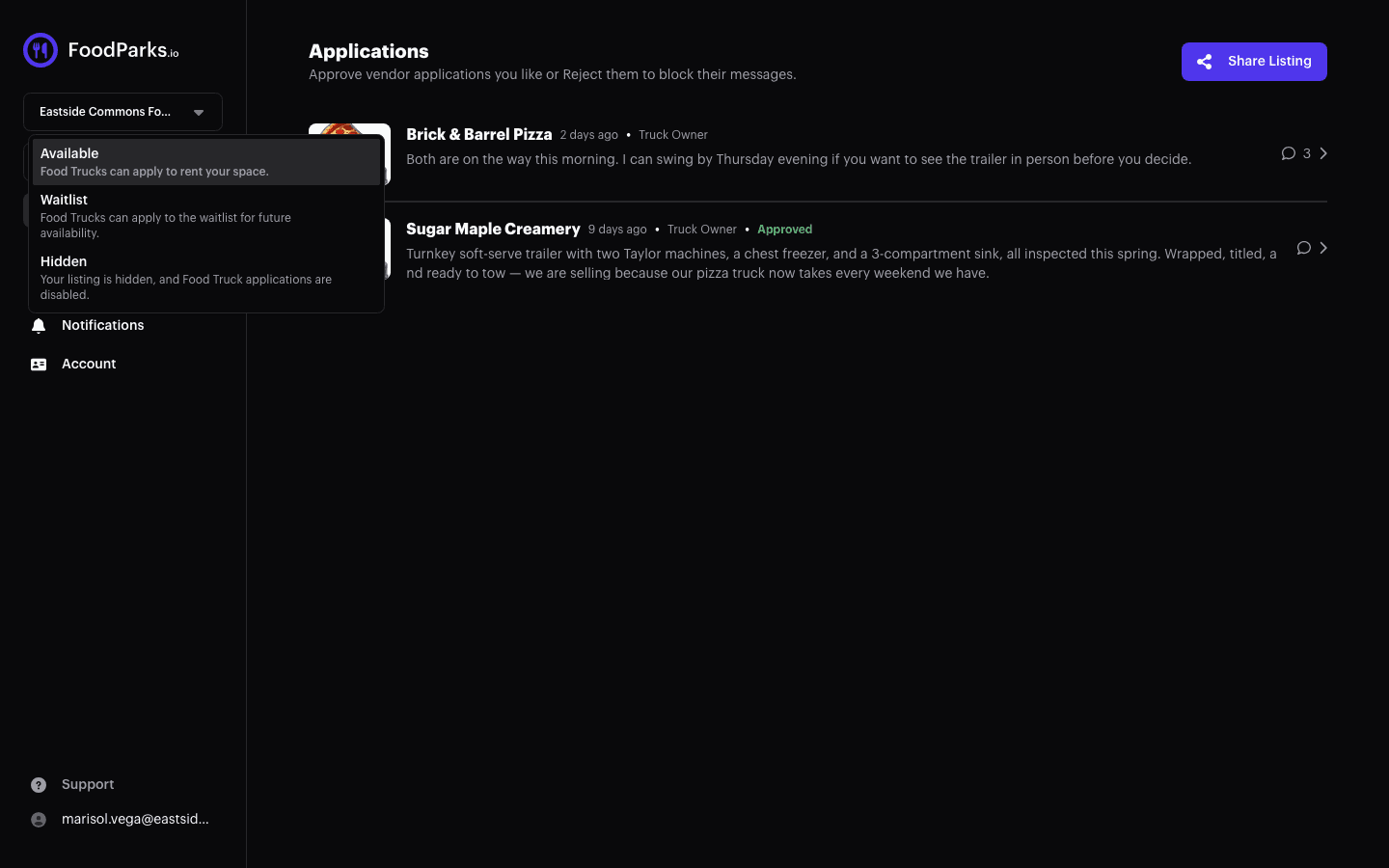
The owner dropdown deliberately omits Pending and Disabled. Disabled is the only status enforced as administrator-only by the server, and only an administrator can move a disabled listing to another status. Administrators may assign any of the five statuses. While an owner views a Pending or Disabled listing, the dropdown is replaced with a read-only status button:
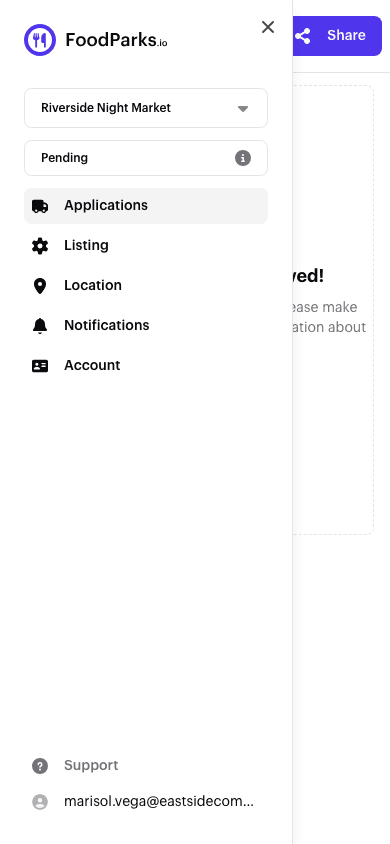
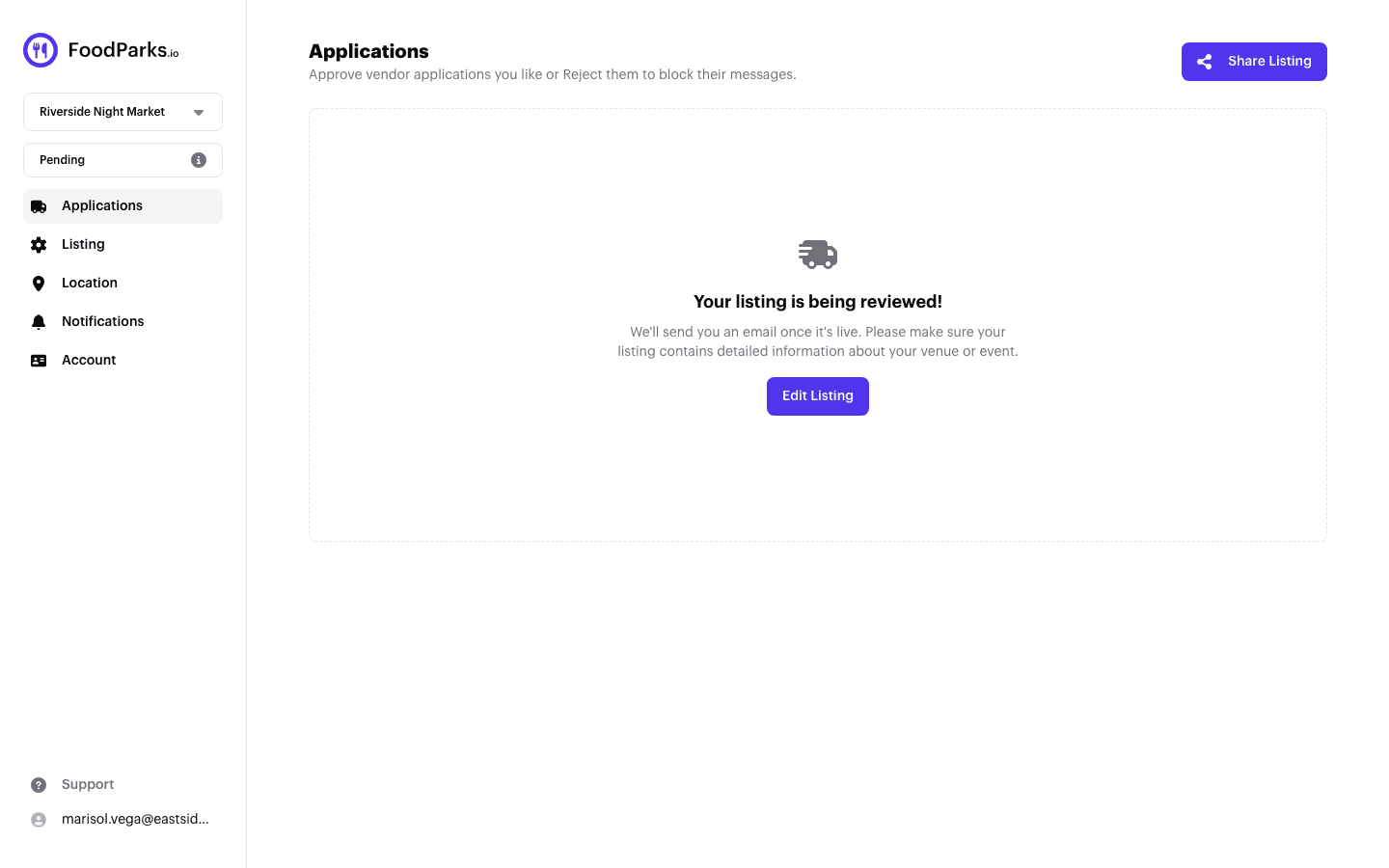
- A new listing starts Pending until a FoodParks admin reviews it. See Why is my listing "Pending"? for what's checked and how long it takes.
- A listing only becomes Disabled when a FoodParks admin turns it off. See Contacting FoodParks support if you think that happened by mistake.
What each status means for applications
- Available — Truck operators see an Apply button and can submit a new application.
- Waitlist — Truck operators see a Join Waitlist button instead of Apply, but it sends the exact same kind of application behind the scenes — joining a waitlist is applying, just to a listing that's full for now.
- Pending, Hidden, and Disabled — Not visible in search or on your listing's page, so truck operators can't find them to apply. See Trouble applying to a listing? if a truck operator has run into this.
A truck operator can only ever have one application per listing — see the FoodParks glossary — and once submitted, that application moves through its own status of Pending, Approved, or Rejected, separate from your listing's status. See What your application status means.
Changing your listing's status
Open your listing's dashboard and use the status dropdown in the sidebar, labeled "Listing Status:". Choose Available to publish it and accept applications, Waitlist to keep accepting applications for a future opening, or Hidden to hide it and stop new applications and listing messages. The change takes effect immediately.
For everything else about your listing — description, price, spaces, and tags — see Editing your listing.