A short reference for words FoodParks uses on its own pages. Most of these get a full walkthrough elsewhere in the Help Center — this page is for when you just need the quick version.
Listings and spaces
- Space — The lot, venue, or event you have available for food trucks. Turning it into a listing is what puts it in front of truck operators. See Listing your first space or event.
- Listing — The record FoodParks creates from your space once you list it: its name, description, price, photos, and status. See Creating a listing.
- Permanent and Temporary — How long a listing runs, chosen when you create it. Permanent ("Full Time Availability") is an ongoing spot with no end date. Temporary ("Events & Catering") is for a single event or a short run of dates, and asks for a start date, plus an end date if it spans more than one day.
Listing status
Every listing has one of five statuses:
- Pending — A brand-new listing starts here. It isn't visible to truck operators yet — a FoodParks admin reviews it, usually within 24 to 48 hours. See Why is my listing "Pending"?.
- Available — Publicly visible and open to applications.
- Waitlist — Also live, but truck operators join a waitlist for future availability instead — the button on your listing reads "Join Waitlist" instead of "Apply", though it sends the same kind of application either way.
- Hidden — You've turned your own listing off. It's not visible to truck operators and stops accepting applications, until you switch it back to Available or Waitlist.
- Disabled — A FoodParks admin has turned the listing off; you can't reverse this yourself. See Contacting FoodParks support if you have questions.
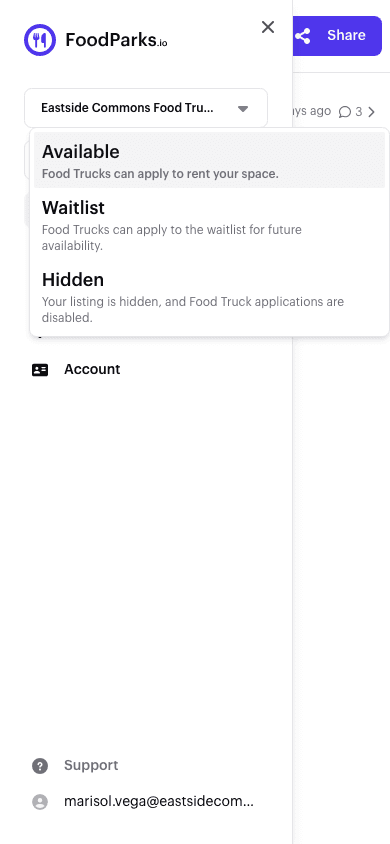
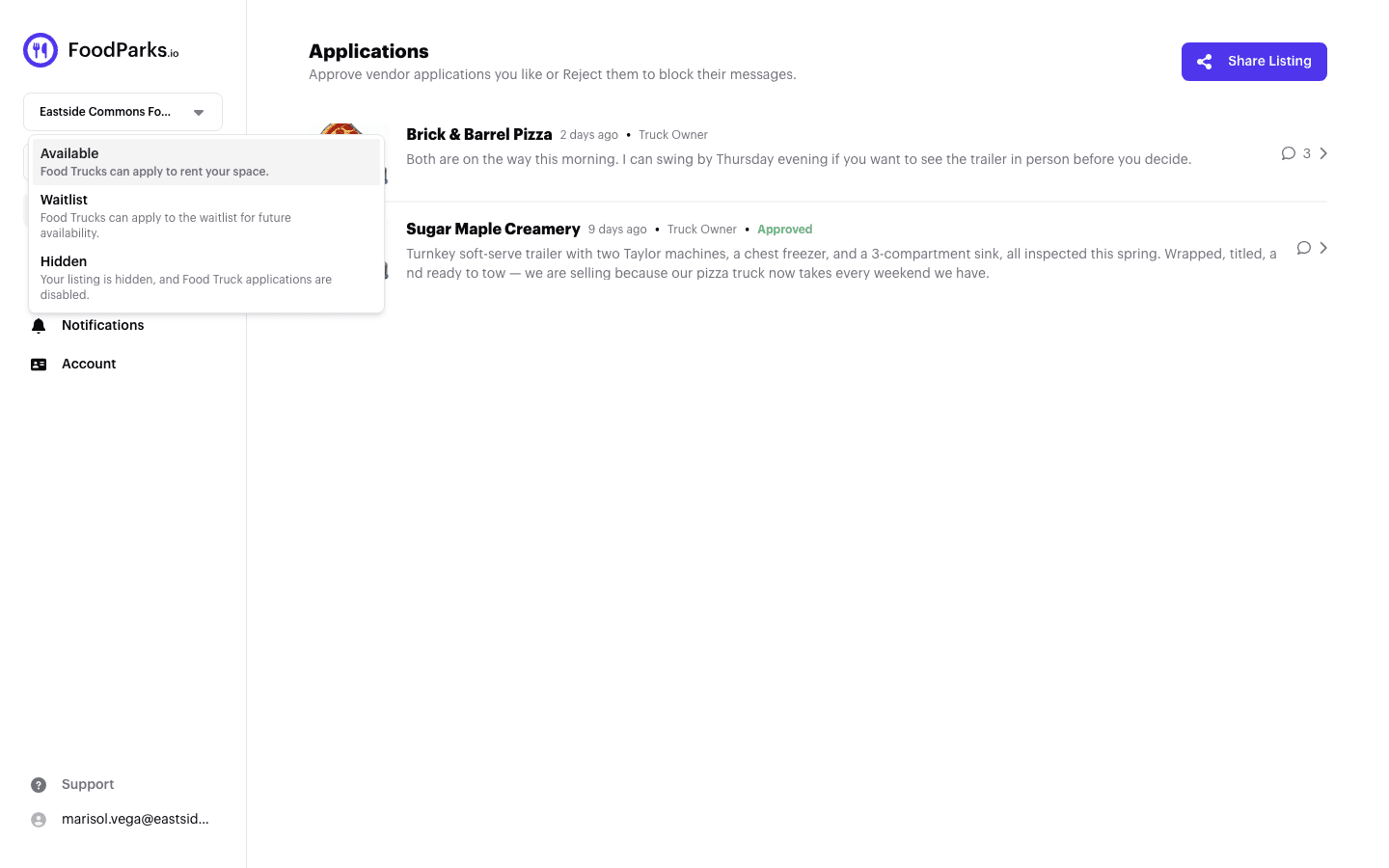
Your dashboard offers Available, Waitlist, and Hidden. The owner control omits Pending, and Disabled is the only server-enforced administrator-only status. Only an administrator can move a Disabled listing to another status; an administrator may assign any of the five statuses. See Listing statuses explained.
Trucks and applications
- Truck — Your food truck's profile: name, description (the website's forms have no separate cuisine field — mention what you cook, your hours, and how long you've been in business there), photos, and dimensions. It's what a space owner reads when you apply. See Completing your truck profile.
- Application — A truck operator's request to a listing. A truck can only ever have one application per listing — once you've applied, you can't apply again to that same listing, even if that application was rejected. See Applying to a space.
- Application status — Separate from a listing's status, and always one of three values: Pending (awaiting the space owner's decision), Approved, or Rejected. The space owner changes it. See What your application status means.
Roles, dashboards, and conversations
- Space owner and truck operator — Not something you choose when you sign in. Your account becomes one, the other, or both, based only on whether you create a listing, register a truck, or both. See Space owner, truck operator, or both?.
- Dashboard — Where you manage a listing or truck after signing in: applications, details, photos, and notification settings, once you own at least one listing or truck.
- Tags — Short labels on a listing describing its amenities, what's nearby, and when foot traffic shows up, so trucks can judge fit before applying. See Tags: amenities, nearby, and traffic.
- Conversation — Every application has its own message thread attached to it — on FoodParks.io there's no separate inbox, though the FoodParks app gathers the same threads under its Inbox tab. See Your messages inbox.
Buying and selling
- For sale — A truck marked for sale appears on the Food Trucks For Sale page with its photo, description, and asking price. Editing a truck on the FoodParks website has no for-sale control — ask the FoodParks team to mark yours for sale. See How to sell your food truck.
- Asking price — What a seller wants for their truck, shown next to it on the Food Trucks For Sale page, or "Inquire for pricing" if none is set. It's informational only — FoodParks doesn't process the sale. See Does FoodParks handle payments?.
Don't see a term you're looking for? Contact support and we'll add it.