If you were expecting a FoodParks email and it never showed up, a few different things can each explain that on their own. Work through these before assuming something is broken.
Check your spam or junk folder
Notification emails come from addresses ending in @foodparks.io — notifications@foodparks.io for new-application, listing-status, and unread-message reminder emails, user@foodparks.io for message notifications, and newsletter@foodparks.io for the weekly digest. Automated mail like this sometimes gets filtered by mistake.
Waiting on a decision? FoodParks doesn't email those
If you're a truck operator waiting to hear back, no status change sends you an email — Approved, Rejected and Pending alike. There was never an email for those, which is one of the more common reasons a notification never "arrives." The decision reaches you as the status on the application itself, and — on the website — a rejection as the closed message box. If you use the mobile app, the change sends a push notification. If the owner sends you a message about their decision, that message does get emailed. See What your application status means for where to check, and Approving or rejecting an application for how an owner makes that change.
One more thing to know: the colored status label next to a decided application in your Messages list shows on any screen size, phone included. Opening the conversation on the website doesn't show a status anywhere, on any screen — ask the space owner directly in the thread if you want to know sooner. In the FoodParks app the thread itself carries a status chip pinned at the top.
Give it a little time
Not every FoodParks email goes out the instant something happens. New application and listing-status emails go out on a run that fires about once an hour; new-message emails go out roughly every 30 minutes. If a truck just applied to your listing, or someone just sent you a message, give it a little while before deciding an email is missing. See Why is my listing "Pending"? for the listing-status timing specifically.
Check your notification preferences
Each account controls four categories of email separately: new messages, application updates (new applications and application confirmations), listing-status changes, and a weekly new-listings digest. A listing's or a truck's Notifications page only lists the three that apply to that role, but the settings behind them are the same four. Turning one off stops that category everywhere — these are account-wide settings, not per listing or per truck, so turning off message emails from one listing turns them off for every listing or truck on that same account. Open a listing's or truck's dashboard and select Notifications in the sidebar to see and change yours. See Managing notification preferences for what each one covers, and Managing multiple trucks or listings if you run more than one.
Check whether you've been unsubscribed from all email
Every FoodParks notification email has an Unsubscribe link at the bottom. Clicking it turns off all email to that address at once, overriding every category setting above — even with every preference still turned on, nothing arrives while an address is unsubscribed. Your Notifications page (the same page as above) shows this as a Subscribe switch at the top: if it's off, the account is unsubscribed. Turning it back on resumes email with the category settings you already had.
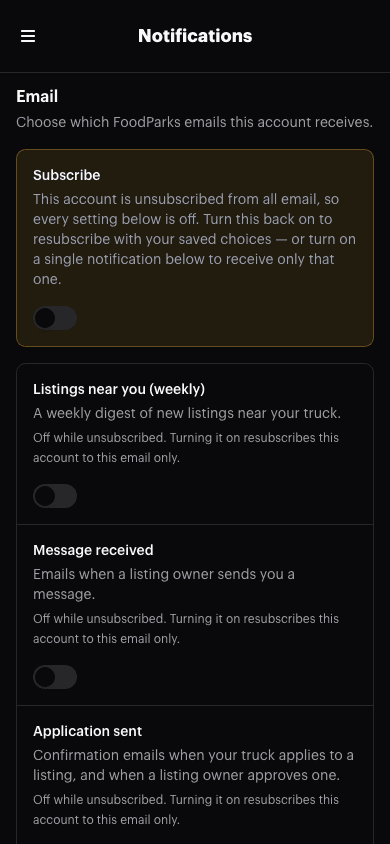
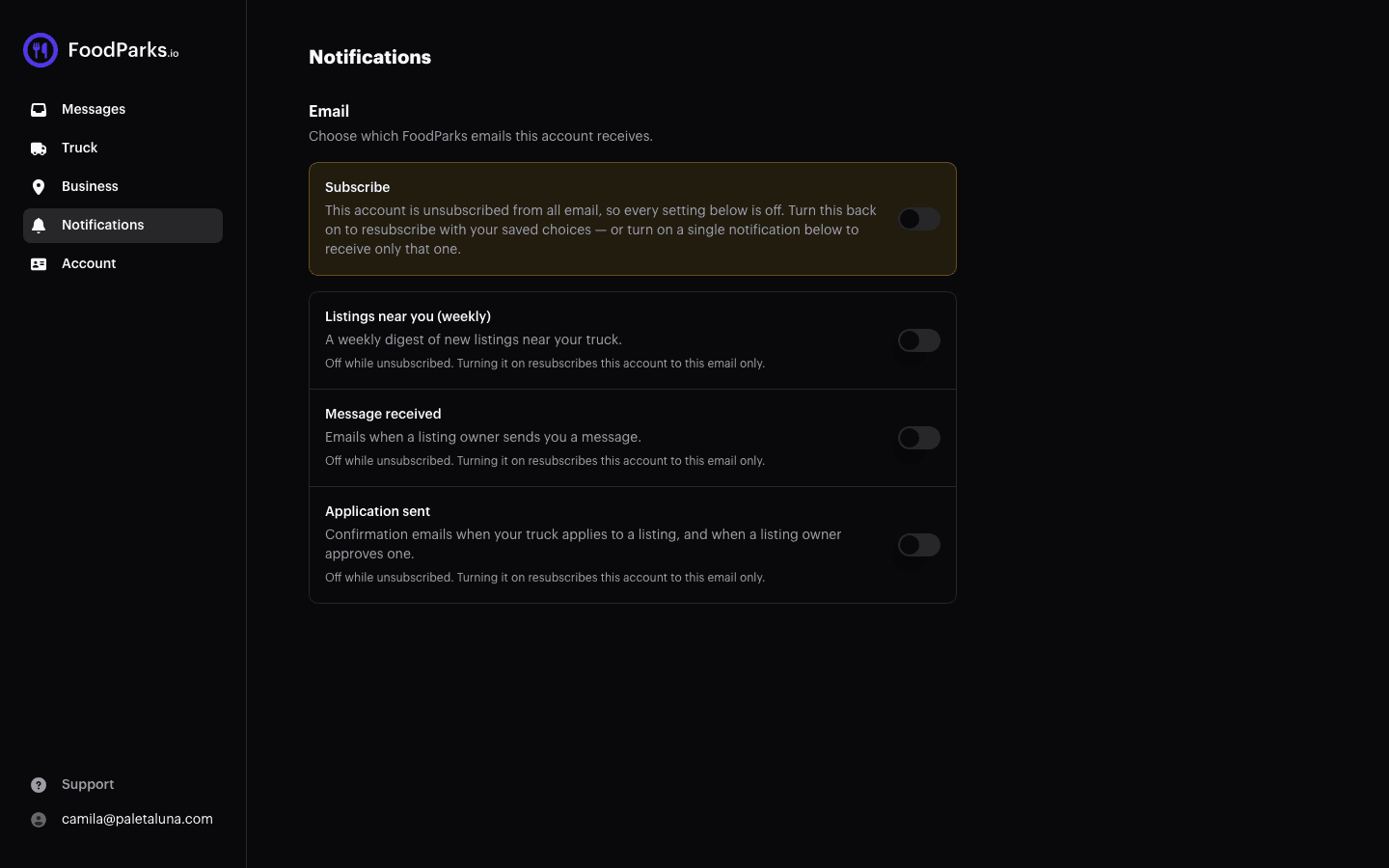
If you signed in with Facebook and have ever used Facebook's own tool to remove FoodParks or request deletion of the data it has about you, that process also unsubscribes your FoodParks email address as part of confirming it — even if you didn't mean to opt out of FoodParks email specifically. It clears your address's verified status at the same time, so turning categories back on isn't enough on its own: sign in with an emailed code to re-verify the address, then re-enable what you want.
One bounce or spam report is enough to stop everything
This is the reason that catches people out, because nobody chooses it. If a FoodParks email to your address bounces back undelivered, or if you mark one FoodParks email as spam, that address is unsubscribed from then on. The same event also clears the address's verified status, and FoodParks only sends to verified addresses, so every category stops at once: messages, application updates, listing-status changes, and the weekly digest.
Two things make this hard to spot. It takes a single event rather than a run of them. And it doesn't expire or reset itself, so mail stays off long after whatever caused it has been fixed — nothing turns it back on for you.
You can undo it yourself: turn Subscribe back on at the top of your Notifications page. Two caveats. A bounce or spam report also clears your address's verified status, and FoodParks only sends to verified addresses — signing in again with an emailed code restores that. And the service that delivers our email keeps its own list of addresses it has stopped writing to, which resubscribing here doesn't clear, so mail can stay off a while longer. See Unsubscribing from emails for how the switch works, and Contacting FoodParks support if an address of yours still isn't receiving email.
A reply not landing in the conversation?
If you replied to a message-notification email and your reply never showed up in the thread, check whether the application had already been rejected by then — replies sent after that point aren't added for either side, and you won't get an error telling you it didn't go through. See Replying to messages from your email for how replying works.
Still not seeing it?
If you've gone through all of the above and an email genuinely seems to be missing, contact FoodParks support directly and describe what you were expecting and when. See Contacting FoodParks support.